
AI to improve customer experience: measurable improvements
Dec 14, 2025
Every B2B customer now compares your service with the best digital experiences they already get as a consumer. Fast, error-free, and proactive. With AI to improve customer experience, that bar is within reach, as long as you implement it intelligently and, most importantly, make it measurable. This article gives you a practical compass for SMB sectors like wholesale, distribution, accounting, installation, and real estate: which KPIs to manage, which AI applications deliver quick results, and how to embed it into your processes in 90 days.
What do we mean by customer experience in B2B?
In B2B, customer experience is broader than support alone. It covers the entire chain: from the first quote request to onboarding, deliveries, service, invoicing, and repeat orders. Every step is an opportunity to remove friction with AI, for example by responding faster, personalizing better, or proactively managing expectations. The key is to prove impact, not just on sentiment, but also on cycle times, error reduction, and revenue opportunities.
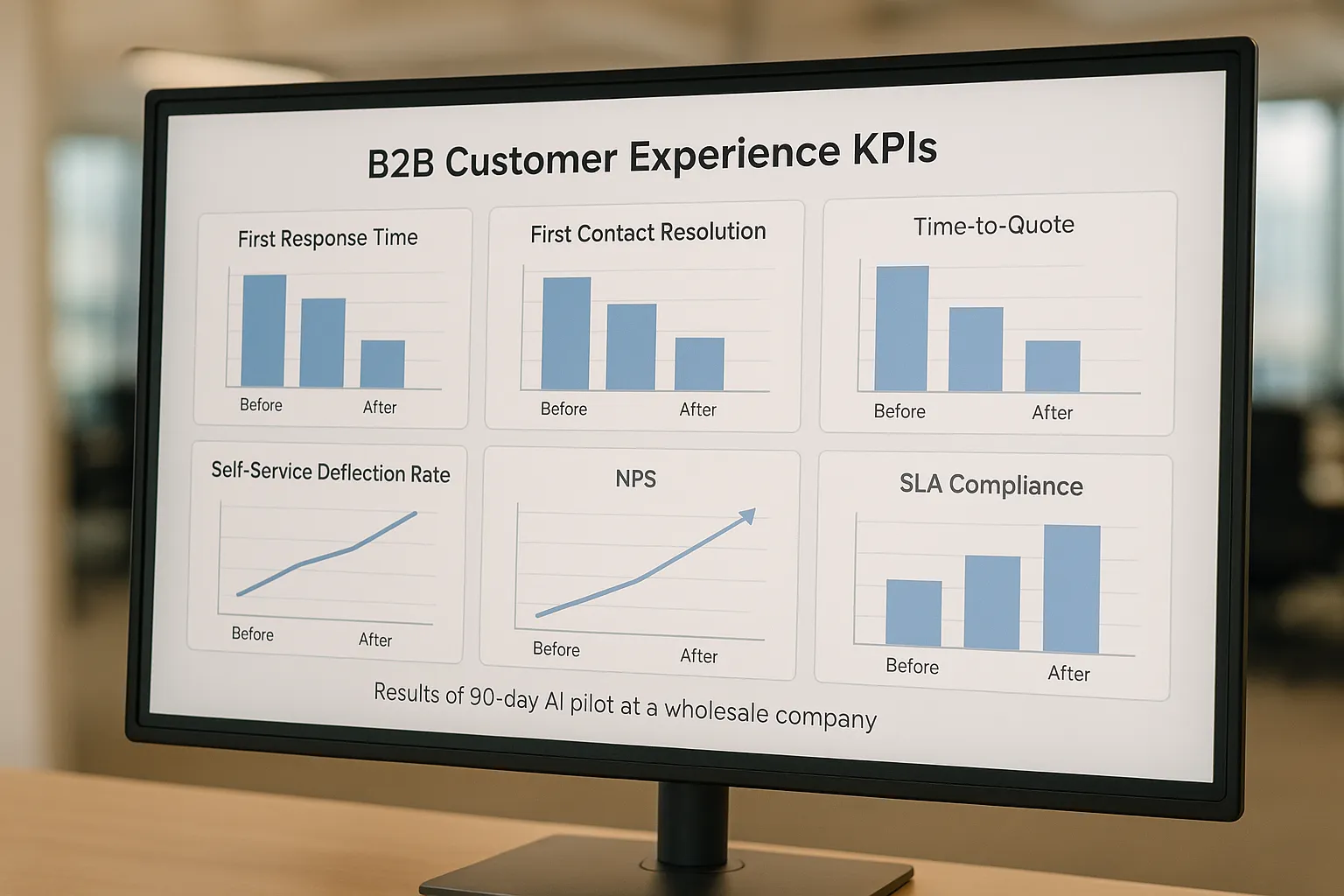
The five KPIs AI improves fastest
First Response Time (FRT): time to first response on email, forms, chat, or WhatsApp. Goal: faster clarity, including outside office hours.
First Contact Resolution (FCR): issues or questions solved in one go, without back-and-forth calls or email rounds.
Time to Quote: time between request and quote, crucial for win rate in competitive deals.
Self-service deflection rate: percentage of customer questions successfully handled via self-service or chatbot.
CSAT/NPS: experience after touchpoints, ideally broken down by channel and by use case.
Ensure you have a baseline. Measure per channel, per product line, and per customer segment. Define clearly how you calculate KPIs. Examples: Deflection rate = number of sessions with successful self-service divided by total self-service sessions. Time to Quote = time between an incoming request and sending the first complete quote.
7 AI applications with measurable impact
1) Smart intake and triage
What it does: analyzes incoming emails, forms, and chats, recognizes intent and priority, and asks clarifying questions immediately. Then it routes to the right queue or drafts a suggested reply.
Key metrics: FRT, FCR, SLA compliance. Also measure the number of repeat contacts per ticket and time to resolution.
2) Agent assist for service and sales
What it does: turns conversations into summaries, finds relevant knowledge articles, and suggests next steps. Your team works faster and more consistently, with fewer context switches.
Key metrics: Average Handle Time, Time to Resolution, quality scoring of answers. Also track consistency across agents.
3) Conversational self-service on web and WhatsApp
What it does: provides instant answers from your knowledge base and systems, with seamless escalation to a human including full context handoff.
Key metrics: self-service deflection rate, CSAT per session, escalation rate, and time to a correct answer. Add intent tags to reveal content gaps.
Tip: if you want to increase the visibility of your help articles and product pages in AI-driven search results, optimize existing content for AI search visibility. A clear, practical starting point is this guide: optimize existing content for AI search visibility. Better-found answers lead directly to more self-service and fewer tickets.
4) Proactive updates and ETAs
What it does: connects with ERP or WMS and automatically communicates status updates about deliveries, backorders, and ETAs. This prevents “Where is my order?” tickets and increases trust.
Key metrics: number of inbound status questions, percentage of proactive notifications, on-time delivery perception in CSAT.
5) Quote copilot for faster, consistent proposals
What it does: generates a first quote draft, fills in price and product data, suggests upsells, and checks terms. Team members validate and personalize.
Key metrics: Time to Quote, number of revision rounds, win rate per segment, and cycle time to signature.
6) Personalized onboarding and nurture
What it does: turns customer profiles into targeted email or WhatsApp flows with guides, training, and cross-sell for relevant products or services.
Key metrics: engagement rates per step, feature adoption, retention, and NPS after 30 and 90 days.
7) Cleaning up the knowledge base with RAG
What it does: enriches answers from your own policies, product sheets, and manuals, with source references. Outdated content is cleaned up based on missed search intents.
Key metrics: coverage of FAQs, answer accuracy in spot checks, and trend in deflection rate.
Industry-specific scenarios
Wholesale and distribution: AI turns request emails into structured quote requests, retrieves missing information, and proposes alternative products when stock is short. Measure Time to Quote, number of incomplete requests, and conversion per SKU cluster.
B2B product suppliers and manufacturers: proactive delay updates, and a digital assistant that summarizes technical datasheets for procurement teams. Measure number of status questions, CSAT after delivery, and number of technical escalations.
Accounting and legal boutiques: intake assistant classifies the client’s question, flags risks, and drafts a reply with references to internal knowledge. Measure FCR, time to advice, and billable hours per case.
Installation companies: appointment scheduling with automatic pre-qualification, parts checks, and route optimization. Measure no-shows, first-time fix rate, and cycle time from request to commissioning.
B2B real estate: property-matching copilot and document Q&A for tenants or buyers, with immediate qualification. Measure time-to-meeting, deal cycle, and CSAT on document handling.
A 90-day measurement plan that works
Phase 1, weeks 0 to 2: baseline and scope
Choose 3 to 5 primary KPIs like FRT, FCR, Time to Quote, deflection, and CSAT.
Measure per channel and per segment, with at least 2 to 4 weeks of historical data as a baseline.
Pick 2 use cases with high impact and low integration complexity, for example intake triage and agent assist.
Phase 2, weeks 3 to 6: pilot with human-in-the-loop
Start in one channel or product line. All AI outputs are confirmed or corrected by employees.
Log all corrections and reason codes. Use this to improve prompts, knowledge, and decision rules weekly.
Compare with a control group, for example a team still working without AI, so the effect is clearly visible.
Phase 3, weeks 7 to 12: scale and embed
Roll out to additional channels, for example WhatsApp and email. Enable proactive notifications from ERP or WMS.
Build dashboards per KPI and per use case. Include SLA alerts and quality spot checks in the routine.
Plan monthly optimization, new intents, new knowledge, and periodic security and privacy checks.
Data, integrations, and governance: what you minimally need
Source systems: CRM, ERP or WMS, ticketing or shared mailboxes, knowledge base, and file storage for datasheets and policies.
Permissions and privacy: document which data AI may use, pseudonymize where possible, and set retention periods. Consider GDPR processing agreements and access logs.
Observability: log prompts, answers, confidence, and source references. Measure model latency and error rates. Keep versions of knowledge and prompts.
Security and brand safeguards: add policies for what AI must never say or do, and require source citation for sensitive answers. Use human-in-the-loop for financial or legal statements.
Common pitfalls and how to avoid them
Optimizing only for volume instead of quality: do not just resolve tickets faster, resolve them better. Combine speed with FCR and quality spot checks.
Automating without clean knowledge: every gap in manuals or datasheets becomes visible in self-service. Plan monthly knowledge cleanup based on missed intent tags.
Too many channels at once: start with the channel where queues or cycle times are worst, then expand step by step.
Unclear escalations: make sure every AI conversation can transition smoothly to a human, including context, transcript, and summary.
No A/B testing: prove impact with a control group and report improvements per KPI. That makes budget conversations simple.
How B2B GrowthMachine makes this practical for SMB teams
With B2B GrowthMachine, you get a plug-and-play approach focused on sales and operations, where most CX gains are found.
Sales workflow automation, less manual work in follow-up, CRM updates, and quotes, which directly improves Time to Quote and win rate.
AI assistant as a digital teammate, for daily tasks like summarizing, planning, reporting, and research. Your team stays in control, AI accelerates.
Conversational self-service and lead nurturing, consistent customer communication via email and WhatsApp and better qualification without wait time.
Integrations with CRM, ERP, WhatsApp, email, and Slack, plus monitoring and ongoing optimization to keep results strong.
Data-driven insights, dashboards, and automated reporting, so every month you can show hard proof of time saved, fewer errors, and higher customer satisfaction.
Frequently Asked Questions
What are the best KPIs to track when using AI to improve customer experience in B2B? Focus on KPIs that connect experience to operational outcomes: First Response Time, First Contact Resolution, Time to Quote, self-service deflection rate, and CSAT or NPS.
How do you prove AI has improved customer experience, beyond “customer sentiment”? Use a baseline plus a pilot or control group, then report measurable changes in cycle times, SLA compliance, error reduction, and conversion outcomes (like quote win rate), alongside CSAT or NPS.
What is the fastest AI use case to implement for measurable CX impact? Smart intake and triage and agent assist often deliver the quickest wins because they can start in one channel with human-in-the-loop, without needing deep system changes.
Does AI self-service increase customer frustration in B2B? It can if escalation is unclear or content is inaccurate. The safest approach is to design seamless handoff to a human with full context, and continuously improve content using intent tags and quality spot checks.
How long does a realistic B2B AI pilot take? A practical plan is 90 days: 2 weeks for baseline and scope, 4 weeks for a controlled pilot with human-in-the-loop, then 6 weeks to scale and embed with dashboards and governance.
Call to action
Want to prove within 90 days that AI to improve customer experience is not a vague project, but a measurable acceleration lever? Start small with two use cases, define a clear baseline, and scale what works. We help you choose the right processes, integrate safely, and improve every week, so customers feel the gain and your team gets more time for work that matters.