
AI cost reduction: save hours without adding extra FTEs
Jan 5, 2026
Rising costs, vacancies staying open longer, and workload still increasing. In many SMB teams, “doing more with the same team” is no longer a slogan, it is a hard requirement. That is exactly where AI cost reduction comes in: not by replacing people, but by removing repetitive work so you save hours without adding extra FTEs.
The common pitfall is that many companies start with a handful of standalone AI tools, a few prompts, and a small experiment. That feels innovative, but it rarely leads to structural cost reduction. Real savings appear when AI is connected to your processes and systems, with clear KPIs, ownership, and quality control.
What “AI cost reduction” really means for SMBs
In practice, AI cost reduction almost always comes down to three types of cost:
Time costs: hours spent on manual administration, follow-ups, copy-pasting between systems, searching for information, and reporting.
Error costs: incorrect quotes, wrong order lines, missed SLAs, duplicate data entry, misclassified tickets.
Delay costs: deals closing later due to slow follow-up, customers churn due to long response times, invoices sent too late.
So AI does not only reduce costs by “working faster,” it also reduces costs through less rework and shorter cycle times.
Important: cost reduction becomes predictable only when you stop viewing AI as a chatbot, and start treating it as a combination of:
Prompting for quick support (summarizing, rewriting, checking)
Workflows for fixed steps (trigger, check, update in system, notification)
Agents for tasks that combine multiple steps (retrieve information, apply decision rules, take action)
The fastest route to savings: manage “hours recovered,” not “using AI”
If your goal is “implement AI,” you end up with tooling. If your goal is “recover 20 hours per week,” you end up with a business case.
Start with one simple baseline
Pick a process everyone complains about, and measure for 1 to 2 weeks:
How many items come in? (leads, requests, tickets, invoices)
How many minutes does one item take on average?
Where are the waiting times? (internal approval, searching for information, feedback loops)
How often is rework needed?
You do not need perfect measurement. A reliable estimate is enough to set priorities.
Calculate a minimal ROI
Use a straightforward formula:
(hours saved per week) x (fully loaded hourly cost) x 52 = annual time value
Against that, weigh:
implementation effort (internal or external)
tool costs
ongoing maintenance and optimization
In practice, teams often underestimate the upside because they look only at execution time. The real multiplier is in:
faster response (higher conversion)
fewer errors (fewer escalations)
more consistent follow-up (fewer “forgotten” deals)
7 areas where SMB teams lose hours immediately (and where AI pays off fast)
In wholesale, distribution, accounting, installation, and professional services, the areas below are very often time leaks. They are also processes that are relatively easy to standardize.
1) Quotes and requests: from inbox chaos to a predictable flow
Many teams handle quote requests via email: read, ask follow-up questions, look up information, create a document, manage versions, get approval, send.
AI helps primarily by:
structuring intake (what is missing, which questions to ask)
reusing product info or service blocks (consistency)
generating first-draft quotes based on fixed rules
automatically monitoring status and follow-up
What you typically see is less context switching and fewer “where are we now?” alignment moments.
2) CRM updates and sales admin: the silent FTE killer
Salespeople are rarely the problem, the system around them is. Notes, deal stages, follow-up tasks, contact data, activity logging. When this does not happen, forecasting becomes unreliable and even more time gets wasted.
AI automation tackles this by:
turning emails and call notes into CRM fields automatically
generating and scheduling follow-up tasks
sending reminders based on pipeline rules
Result: less administrative pressure and a CRM that finally reflects reality.
3) Follow-ups and nurture: win consistently without adding headcount
A lot of revenue leaks due to inconsistency: a prospect asks for info, receives it, and then everything goes quiet. Or there is a sequence, but nobody maintains it.
AI workflows can:
start follow-up based on intent signals (form submission, email reply, page viewed)
personalize emails based on CRM context
automatically route leads based on rules (segment, region, product line)
This is not “more spam,” it is better timing and higher relevance, with less manual work.
4) Customer service: faster answers without a quality drop
In B2B service, a lot of time goes into repeated questions, status updates, and searching for information.
AI can accelerate tasks such as:
ticket triage (category, urgency, team)
drafting responses with source references from your knowledge base
summarizing long email threads for handover
For SMB teams, the gain is often not just speed, but stability: fewer ad hoc fires.
5) Finance: invoices, reminders, and reconciliation
Finance processes are often rules-based, but still manual because data is spread across inboxes, PDFs, and systems.
AI helps mainly with:
data extraction from documents (invoices, packing slips, contracts)
exception checks (missing fields, unusual amounts)
preparing payment runs or reminders
What matters here is a clear human-in-the-loop approach: AI proposes, finance approves where needed.
6) Operations and scheduling: less back-and-forth, more throughput
Installation companies and local production or assembly often lose hours to planning and replanning: gathering info, communicating changes, tracking status.
AI workflows can:
summarize work orders into checklists
automatically request missing information
push updates into internal channels (for example, email or Slack)
Savings usually come from less miscommunication and less rework.
7) Data cleanup and enrichment: do it right once, then move faster
In wholesale and distribution, product, customer, and supplier data is often not uniform. Teams correct it manually, over and over.
AI can:
detect missing fields
flag inconsistencies
generate standard texts and product descriptions within your rules
The rule here is simple: the better your base data, the higher the returns in every other process.
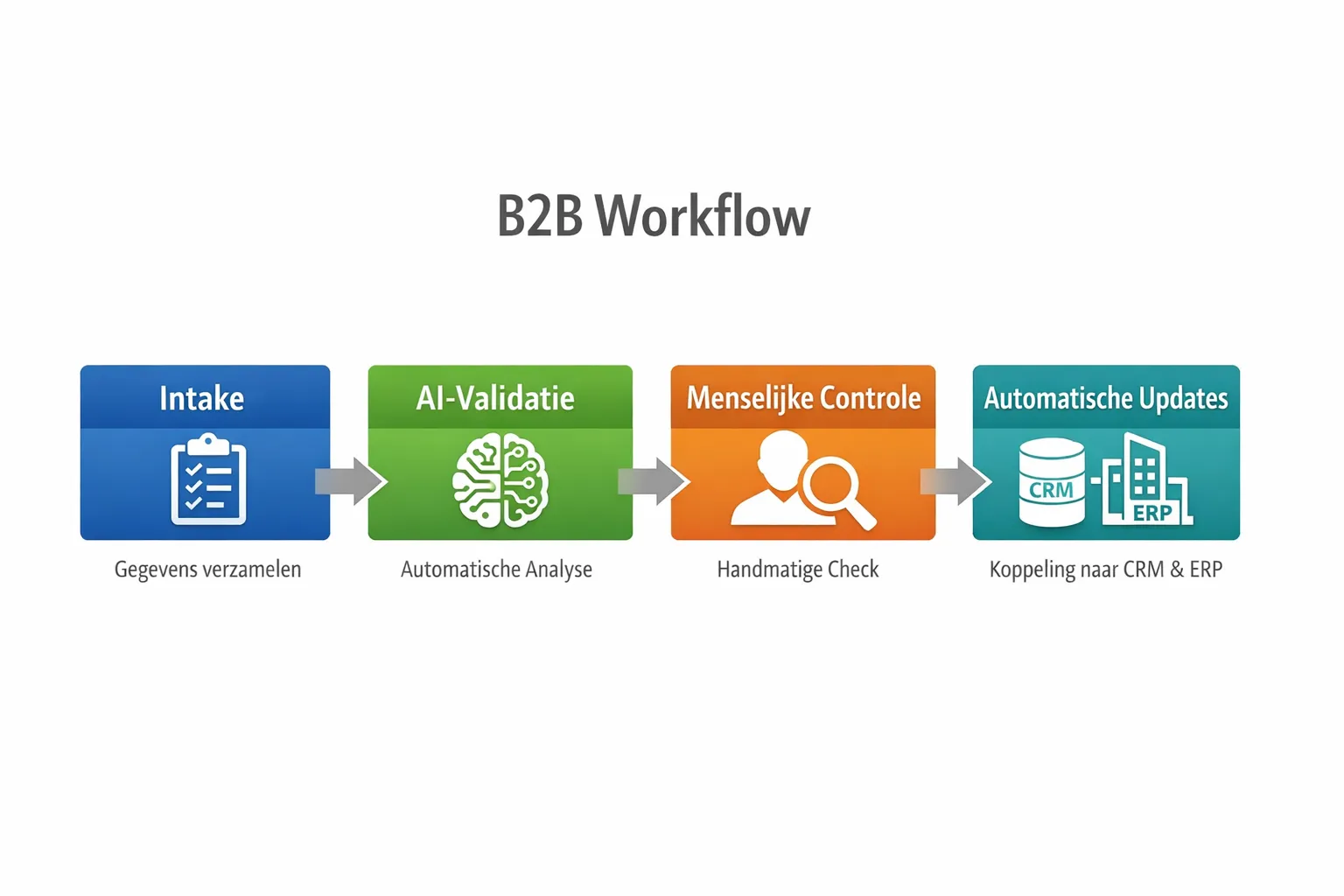
Why “no extra FTEs” often means: clear governance
Many AI initiatives fail not because of technology, but because of unclear ownership:
Who owns the process?
What level of quality is “good enough”?
What is AI allowed to do automatically, and what must always be reviewed by a human?
What data may be used (GDPR, customer data, contracts)?
Especially in 2026, with increased attention to AI governance in Europe, it pays off to set this up from day one. NIST published a practical framework for this, the AI Risk Management Framework (useful as a checklist for risks, controls, and accountability).
A simple, workable approach for SMBs is:
Start with low risk: internal summaries, drafts, classification, checklists.
Build in control points: sampling, thresholds, fallback to a human.
Log decisions and outputs: so you can improve and explain outcomes.
The plug-and-play approach that actually cuts costs: from isolated prompts to working systems
AI savings become structural when you connect output directly to action inside your tools. That means integration with CRM, ERP, email, accounting, or WhatsApp, and clear triggers.
In B2B GrowthMachine terms, that means:
prompting for quick tasks
workflows for repeatable process work
agents for end-to-end tasks (with controls)
integrations so information is written back automatically
continuous optimization so performance does not drop after the pilot
That is the difference between “an AI tool” and an AI-driven operating model.
When you need extra help (and when you do not)
Not every team needs custom work right away. A lot of value can be captured with a small set of standard processes. But you will need external help sooner when:
you have to connect multiple systems (CRM plus ERP plus finance)
compliance and data security are critical (accounting, legal, real estate)
your processes have many exceptions (project-based installations, custom quotes)
your team has no time to build and maintain
Sometimes there is a marketing component as well, for example when you want to combine AI workflows with performance campaigns and meeting booking. In that case, a partner who understands both automation and performance marketing engineering can be relevant, such as Premium AI automation and performance marketing.
A realistic 30-day sprint to recover hours
If you want to start on Monday morning, a short sprint often works better than a broad transformation.
Week 1: choose one process and make it measurable
Define:
start and end point (for example: request received, quote sent)
cycle time and manual minutes
error types and rework
KPI target (for example: 30 percent faster, 10 hours per week less manual work)
Week 2: build the minimum workflow
Choose the smallest automation that delivers value:
structure intake
generate a draft
write fields back to CRM or ERP
create a follow-up task
Week 3: add controls and train on real cases
Test with real data and edge cases. Document:
when AI is allowed to proceed
when review is required
how exceptions are handled
Week 4: scale within the same process
Be careful not to jump to a new process immediately. Scale by improving the same one:
more intake channels
more templates
better data
additional integrations
This gives you one process that is truly stable, and that you can later replicate across other teams.
Finally: cost reduction you can feel, not just report
AI cost reduction is successful only when your team feels it in the calendar: less evening work, fewer backlogs, fewer rework tasks, and faster customer response.
If you want to achieve that without extra FTEs, the most important decision is not which AI tool you use, but which process you operationalize first with clear KPIs, integrations, and quality control.
If you have a repetitive sales or operations process that comes back every week (quotes, CRM, follow-up, tickets, invoices), chances are high you can recover noticeable hours within weeks with a plug-and-play approach. See how via B2B Groeimachine.