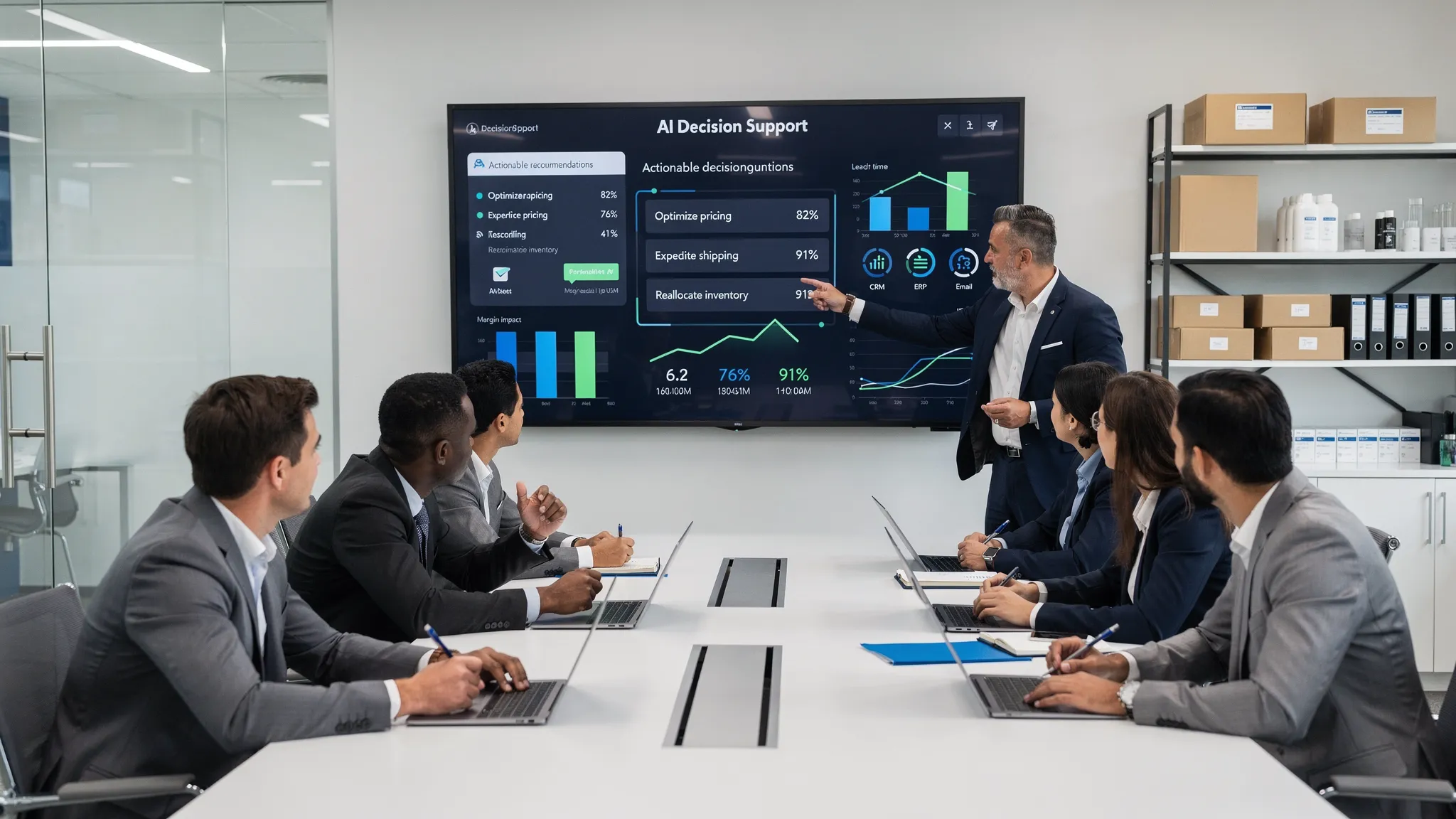
AI decision support for teams: decide faster, backed by evidence
Jan 1, 2026
Many teams are drowning in dashboards and reports, but when it’s time to make a decision, it still takes too long and the reasoning is scattered. AI decision support changes that. It brings signals, context, and business logic together so teams can decide faster, more consistently, and with evidence. For SMB organizations in wholesale, distribution, installation, accountancy, and real estate, this means fewer meeting hours, shorter lead times, and a clear audit trail for clients and regulators.
What AI decision support is and isn’t
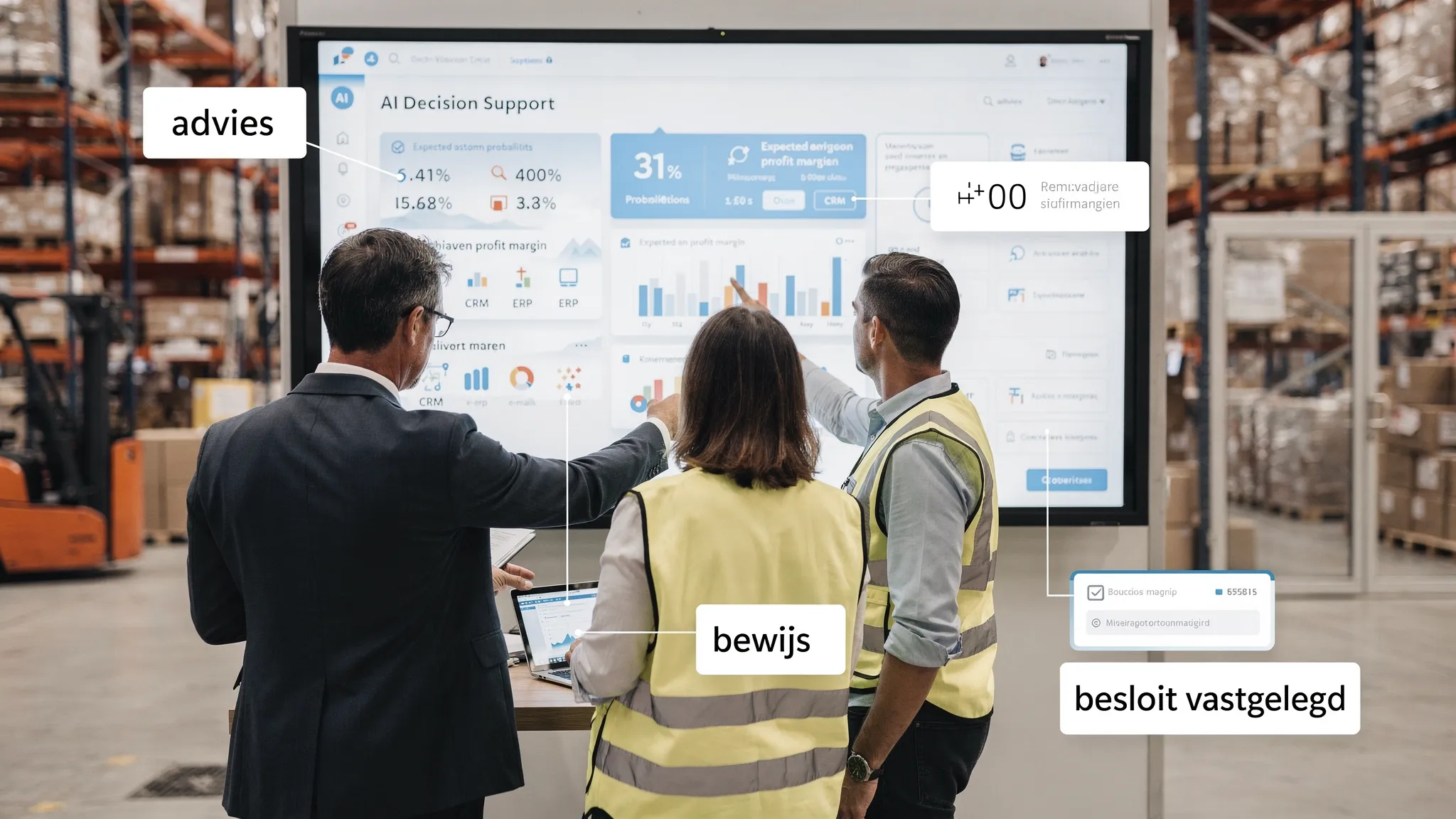
It’s not an extra dashboard. It’s a layer that recommends what to do now, the expected impact, and why.
It doesn’t replace the team, it makes decisions faster and repeatable, with human-in-the-loop for exceptions.
It’s not just prediction. Strong decision support combines probabilities with business costs/benefits and policy.
Concretely: a quote copilot that suggests which discount is likely to win the deal without destroying margin, a planner that optimizes technicians and routes for travel time and SLA, or a credit control assistant that chooses the best follow-up path per customer with expected cash-in and risk.
Why this matters right now
Speed pays off. Every hour of decision delay increases the risk of stockouts, lost orders, or excess inventory. Decision speed becomes a direct KPI.
Complexity keeps growing. Channels, products, and contract terms make it impossible to keep decision rules in your head.
Governance matters. With the EU AI Act and stricter customer expectations, you need to show the rationale, who signed off, and which data was used.
An analogy from another world: professional traders choose tools for speed and clarity of risk. One example is a fast options trading platform for Interactive Brokers that shows multiple chains at a glance and automates TP/SL in one click. The same principle works for business decisions: one screen, one recommendation, clear risks, and immediate action.
Principles for evidence-based decisions
Calibration, not guessing. Don’t let the assistant present “certainties”, use calibrated probabilities with ranges.
Cost weighting. Combine p(success) with the financial outcome, so “what to do” is based on expected value, not just likelihood.
Evidence pack. Every recommendation includes a compact justification: relevant data points, sources, policies/rules, assumptions, and a short rationale.
Human-in-the-loop thresholds. Set boundaries for automated actions. Above or below a threshold it proceeds, in between it asks for approval.
Closed-loop learning. Feed outcomes back, update calibration, and adjust rules. The system improves week by week.
The Decision Ops loop in practice
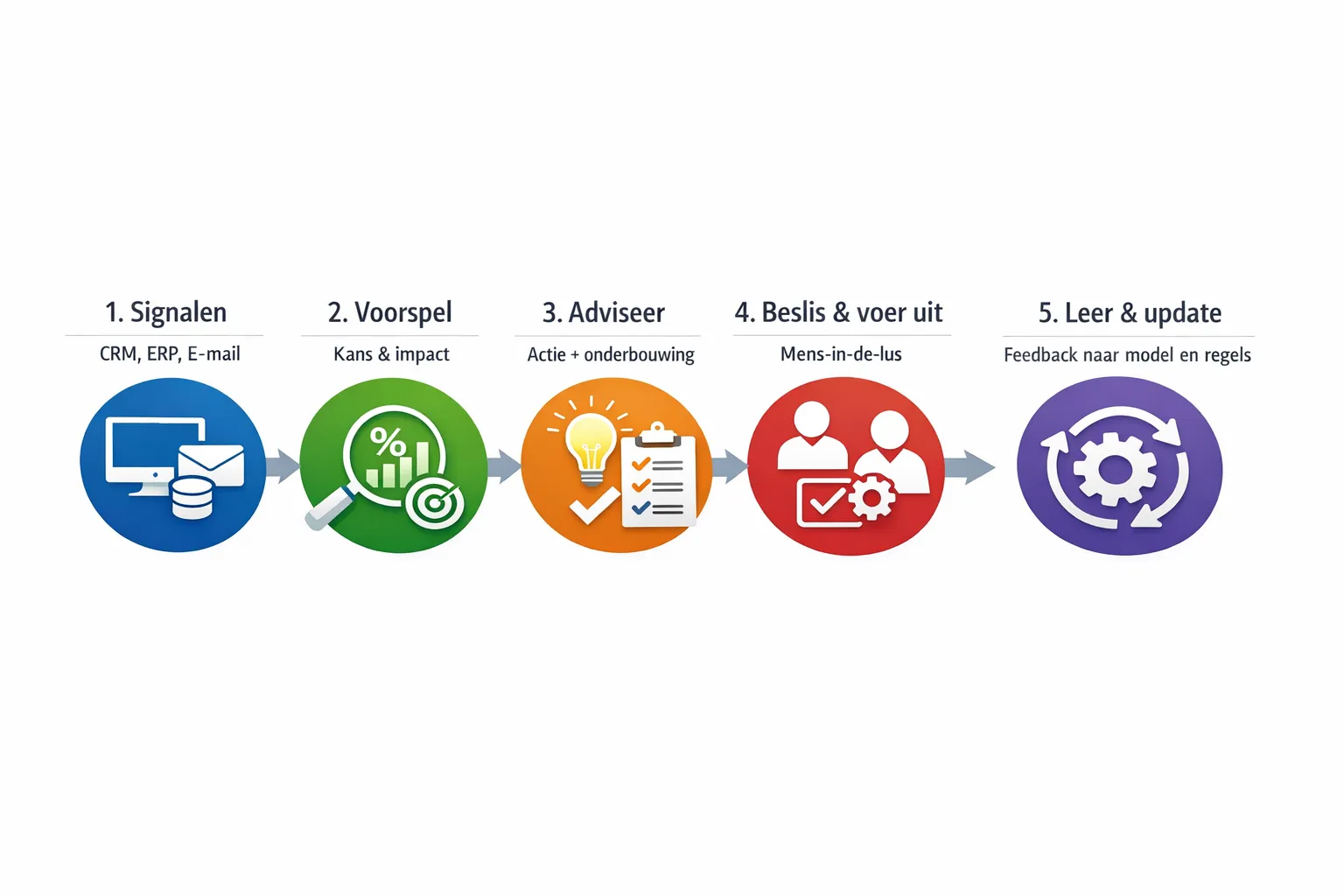
1. Signals
Pull context from CRM, ERP, email, WhatsApp, and planning. Think order status, inventory positions, lead times, payment behavior, and customer notes. Use only what you need and log what you use.
2. Predict
Predict the outcome that matters: probability of winning a deal with 2 percent extra discount, risk of a stockout in the next 10 days, likelihood an invoice will be paid without a phone call. Provide probability, range, and sensitivity to assumptions.
3. Recommend
Translate predictions into a concrete next action including expected value. For example: “Call customer X today, script A. Expected cash-in this week: €4,200. Risk: low. Alternative: propose a payment plan.”
4. Decide and execute
Use human-in-the-loop where needed. For low risk, execute automatically; for medium risk, require manual approval; for high risk, escalate.
5. Learn
Record the outcome. Was the action taken? What was the effect? Update calibration, rules, and thresholds. This keeps the assistant aligned with policy and results.
Use cases by sector
Wholesale and distribution
Dynamic replenishment recommendations prevent stockouts and excess inventory, with visibility into supplier reliability. The planner sees not only what’s running out, but which alternative fits the contract and what the margin impact is.
Quote prioritization directs sellers to the 20 percent of quotes with an 80 percent chance of winning, backed by deal lookalikes, competitor discounts, and lead times.
B2B product suppliers
Cross-sell bundles based on historical usage and compatibility, with arguments account managers can reuse in their email.
Faster returns decisions with evidence: technical root cause, cost of refurbish versus new, and customer value for exceptions.
Legal and accountancy boutiques
Intake triage that ranks cases by urgency and complexity, including red flags and recommended specialist. Transparency about which document passages drive the recommendation.
Better utilization of billable hours by distributing work packages more intelligently and speeding repeatable work with templates, with visibility into compliance risks.
Local manufacturing and installation companies
Technician scheduling that combines traffic data, skills matrix, and SLAs. The recommendation explains why route B is better and the impact on first-time-fix.
Materials allocation with evidence: which part numbers are critical, alternatives, lead time, and the effect on throughput time.
Accountancy and administration firms
Credit control assistant that recommends the best channel and timing per customer, with expected DSO reduction and relationship risk.
Anomaly detection in postings that doesn’t just alert, it provides the audit path: which rules were triggered and which source documents match.
Real estate (B2B brokers and property managers)
Matching properties and tenants on requirements and risk, with transparency about which factors determine the score.
Dynamic pricing recommendations that weigh market speed, vacancy costs, and concessions, and summarize the rationale in one paragraph for the client.
From “opinion” to “evidence”: the evidence pack
A strong evidence pack is short enough to read and rich enough to trust.
Decision framework: goal, KPI, and any threshold values or contract rules.
Data snapshot: which fields were used and from which systems, with timestamp.
Rationale: a concise explanation in plain language for why the recommendation makes sense.
Impact: expected value, risks, and what happens if you do nothing.
Traceability: model version, prompt/run ID, and who recorded the decision.
Evidence belongs with the decision. Link it back directly to CRM/ERP, include it in the approval email, and archive it for audits.
What you should measure
Time-to-decision: seconds or minutes instead of hours or days.
Recommendation acceptance rate: what percentage gets adopted, split by risk class.
Uplift versus baseline: more margin, shorter DSO, higher win rate, fewer stockouts.
Calibration: did “70 percent probability” outcomes occur about 60 to 80 percent of the time?
Audit readiness: time required to retrieve the rationale behind a decision.
Implement without drama: 30-60-90 days
Day 0 to 30: focus and proof
Pick one high-frequency decision with clear euro impact, like quote prioritization or replenishment. Connect data channels, create a baseline, and build the first evidence pack template. Test offline with historical data and check whether the recommendations are understandable.
Day 31 to 60: pilot with human-in-the-loop
Let the assistant recommend within the daily workflow of sales, planning, or finance. Set thresholds for auto-actions, record decisions and outcomes, and train the team to read evidence packs. Calibrate probabilities and adjust thresholds to reduce noise.
Day 61 to 90: harden and scale
Integrate with CRM/ERP, email, and chat, enable monitoring and retraining routines, and expand to related decisions. Embed governance: role-based access, logging, retention periods, and periodic quality reviews.
Technology that works for SMBs
RAG for context: pull current knowledge from quotes, contracts, and service articles so the recommendation always aligns with the latest policy.
Scoring models and rules together: combine probability models with simple business rules and thresholds to stay explainable and robust.
Orchestration and agents: don’t just recommend, execute tasks like CRM updates, sending emails, or WMS actions, with confirmation where needed.
Integrations: connect CRM, ERP, email, WhatsApp, and Slack so recommendations and actions happen in the same flow.
Governance, privacy, and the EU AI Act
Risk assessment: determine the risk class of your use case, involve legal advice for edge cases like creditworthiness or biometrics.
Data minimization: use only the fields you need, pseudonymize where possible.
Explainability: record model versions, prompts, and evidence. Make showing sources standard.
Human-in-the-loop: define clearly when automatic execution is allowed and when it isn’t.
Monitoring: track quality, bias, and drift, and make re-evaluations part of your monthly routine.
Two mini business cases
Quote prioritization in wholesale. Suppose your team creates 100 quotes per week with a 25 percent win rate. An assistant that prioritizes the top 30 quotes with a 10 percentage point higher probability can deliver 3 to 6 extra deals per week. At €1,500 average gross margin per deal, that’s €4,500 to €9,000 extra gross margin per week, while reps waste less time on low-probability cases.
Technician scheduling in installation. You run 20 trips per day and lose an average of 15 minutes per trip due to suboptimal routes or missing parts. With decision support that combines skills, parts availability, and traffic, you gain 5 minutes per trip back: 100 minutes per day. That’s more than 8 hours per week, a full extra day of capacity, plus higher first-time-fix that reduces repeat visits.
How B2B GrowthMachine helps
B2B GrowthMachine delivers AI-driven sales and operations automation that speeds up decisions and supports them with evidence. We set up pragmatic decision flows with:
Automation of sales and marketing tasks, such as outreach, follow-up, and CRM updates, including prioritization by expected value.
An AI assistant as a digital colleague for planning, reporting, research, and administration, available 24/7.
Data-driven insights and continuous optimization, so recommendations improve as you feed results back.
Seamless integrations with CRM, ERP, email, WhatsApp, Slack, and other systems via APIs.
Custom AI project development for decisions that are unique to your business, with human-in-the-loop, logging, and governance built into the workflow.
The result: less manual work, shorter lead times, lower costs, and a repeatable decision process everyone understands and trusts.
Ready to decide faster, with evidence?
Start small. Choose one decision that happens every day and is worth a lot. Measure your baseline, let the assistant recommend with an evidence pack, and feed outcomes back. After 30 days you’ll see whether your time-to-decision and results improve, and you’ll have enough proof to scale.
Want to implement this faster and without noise? Schedule a short exploration with B2B GrowthMachine. We’ll help you choose a focused pilot, design evidence-first flows, and achieve measurable gains within 90 days, without extra FTEs and with governance in order.